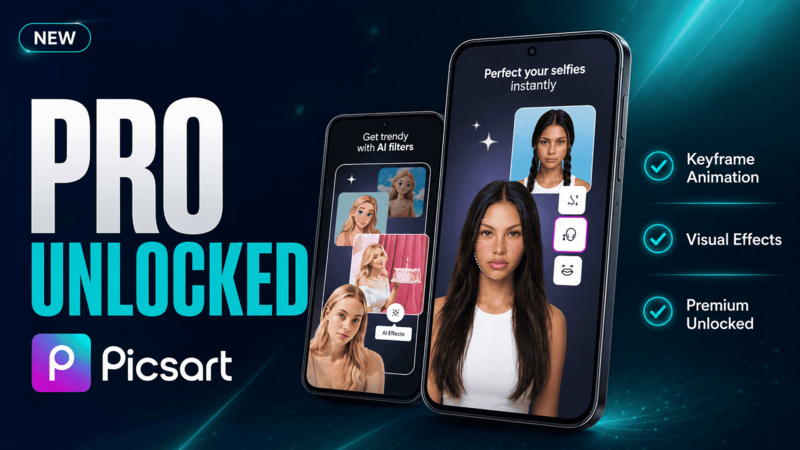
Unlock AI Background Removal with the Latest Picsart MOD APK
Get Latest Picsart MOD APK — App Page & Download
Latest Version • Gold Unlocked • No Ads • Android 9.0+
Why Choose Picsart for Photo Editing?
Picsart is one of the most popular all-in-one photo and video editing apps on Android. It combines powerful tools like AI background removal, object eraser, collage maker, and hundreds of templates in a single app. Whether you are creating content for social media, retouching personal photos, or designing quick graphics, Picsart offers a creative toolkit that rivals desktop software.
The free version is already generous, but many of the most impressive features — such as AI-powered editing, high-resolution exports, and the full sticker library — are locked behind the Gold subscription. The modded version aims to unlock these premium features so you can explore the app's full potential without committing to a recurring payment.
Official Free vs. Modded Gold: What Changes?
The difference between the free and Gold versions of Picsart is significant, especially if you regularly edit photos for professional or semi-professional use. Below is a breakdown of what each version offers.
| Feature | Official Free | Modded (Gold) |
|---|---|---|
| Ad-Free Editing | No | Yes |
| AI Background Removal | Limited | Unlocked |
| Full Sticker & Font Library | Limited | Unlocked |
| High-Resolution Export | Watermarked | Full Quality |
| Premium Templates | No | Yes |
| Cloud Sync Projects | Limited | Yes (Check app page) |
Standout Features of Picsart Gold
Beyond basic editing, the Gold tier unlocks several tools that elevate the editing experience:
- AI Background Removal: Instantly cut out subjects from any photo with one tap. The AI handles complex edges like hair and transparent objects with impressive accuracy.
- Object Eraser: Remove unwanted objects, people, or blemishes from your photos seamlessly, as if they were never there.
- Professional Collage Maker: Access hundreds of premium collage layouts, grid styles, and background patterns to create visually rich compositions.
- Advanced Filters & Effects: Unlock the entire collection of artistic filters, glitch effects, and color grading presets that are reserved for Gold members.
- No Watermarks: Export your edits in full resolution without any branding or watermarks, making your work ready for sharing or printing.
Some AI features may require an internet connection to process, even in the modded version. Ensure you have a stable network when using background removal or object eraser tools.
Installation Guide
Since the modded version is not available on the Google Play Store, you will need to install it manually. Follow these steps:
- Enable Unknown Sources: Go to your Android settings, navigate to "Security" or "Apps," and enable "Install from Unknown Sources."
- Download the APK: Use the link on our app detail page to download the latest modded version of Picsart.
- Uninstall the Official Version: If you already have Picsart installed from the Play Store, uninstall it first to avoid signature conflicts.
- Install the APK: Open your file manager, locate the downloaded file, and tap to install.
- Launch & Grant Permissions: Open the app and allow storage access so it can load and save your photos properly.
If the installation fails with a "App not installed" error, make sure you have fully removed any previous version of Picsart before trying again.
Verdict: Is Picsart MOD Worth It?
Picsart is already a powerful editor in its free form, but the Gold features make a noticeable difference — especially if you frequently use AI tools, need watermark-free exports, or rely on the full template library. For content creators, small business owners, or anyone who edits photos regularly, the modded version is a practical way to access premium tools.
However, keep in mind that cloud syncing and account-based features may not work reliably in modded builds. If you work across multiple devices or need to back up projects to the cloud, consider whether the trade-off is acceptable for your workflow.
FAQ
Is it safe to use a modded version of Picsart?
Sideloading APKs always carries some risk. Download from a trusted source, scan the file with a mobile security app, and only enable "unknown sources" during the installation process.
What does the Gold version unlock in Picsart?
Gold unlocks AI background removal, the full sticker and font library, premium templates, high-resolution exports without watermarks, and ad-free usage.
Will my edits sync across devices with the modded version?
Cloud sync may be limited or unavailable in modded builds. It is recommended to save your work locally and back up important projects manually.
Do I need to uninstall the official Picsart before installing the mod?
Yes, you should uninstall the official Play Store version first. The modded APK uses a different signature and will not install over the original without a conflict.
Can I use Picsart for professional photo editing?
While Picsart is not a replacement for desktop software like Photoshop, its AI tools and Gold features make it capable of producing professional-quality results for social media content and quick edits.
Ready to unlock premium editing tools? Grab the latest Picsart MOD APK on the app page.